
Tax season often brings an avalanche of forms, spreadsheets, and approvals that leave teams buried in paperwork.
This repetitive, manual approach not only slows down workflows but also increases the risk of errors and compliance issues.
This is where the best tax software of 2025 can help you with automation and smart features to cut tedious tasks, reduce mistakes, and free up valuable hours during peak filing season.
Instead of struggling with outdated methods, you can leverage modern tax solutions designed for individuals, freelancers, and businesses alike.
Top Tax Software of 2025: At a Glance
| Tool | Best For | Strengths | Limitations | Automation Features |
|---|---|---|---|---|
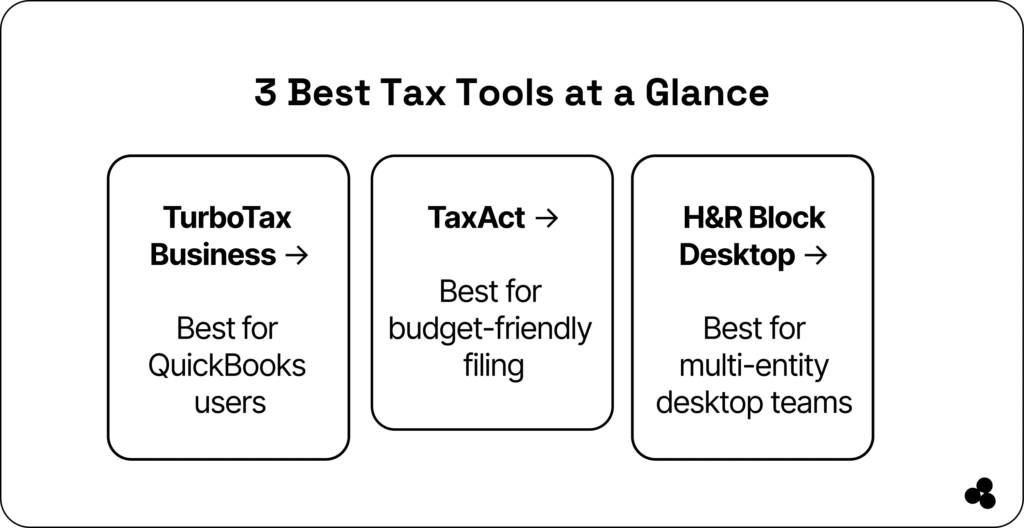
| TurboTax Business | QuickBooks users, small businesses | Expert support, QuickBooks integration | Higher cost | Auto-import transactions, guided workflow, and error check |
| TaxAct | Freelancers & small teams | Affordable, accuracy guarantee | Less intuitive UI | Schedule C/K-1 automation, audit-ready workflows |
| H&R Block Desktop | Multi-entity or offline filers | Desktop-based, bundled filings, audit support | Windows-only | Batch filing, multi-entity support, approval workflow |
| QuickBooks Online Tax | Small businesses using QuickBooks | Seamless integration, automated calculations | Limited for complex filings | Auto-import transactions, recurring tax forms |
| TaxSlayer | Budget-conscious freelancers | Affordable, guided workflows | Less modern interface | Error checkers, automatic e-filing |
| FreeTaxUSA | Individuals, low-budget filers | Free federal filing, accuracy guarantee | Limited live support | Auto-import W-2/1099, e-filing notifications |
| Drake Tax | Tax professionals & small firms | Robust desktop software, multi-entity support | Desktop-only | Batch processing, client import, e-filing |
| ProSeries (Intuit) | Accounting firms | Professional-grade features, QuickBooks integration | Expensive, complex | Data import, e-filing automation |
8 Best Tax Software That Simplify Tax Season (and Save Hours)
1. TurboTax Business (Intuit)
Best for: QuickBooks users or teams needing expert guidance without hiring full-time staff.
Why it stands out:
- 100% accuracy & audit support guarantee
- Year-round access to tax experts
- Streamlines personal and business returns in one workflow
- Integrates directly with QuickBooks
💬 How does TurboTax compare to TaxAct and H&R Block? TurboTax excels in QuickBooks integration and expert support; TaxAct is budget-friendly; H&R Block is ideal for desktop multi-entity filing.
2. TaxAct
Best for: Cost-conscious teams wanting solid features with minimal upsells.
Why it stands out:
- Transparent pricing under $130
- Accuracy guarantee with optional live expert review via Xpert Assist
- Handles Schedule C, K-1s, and multi-entity returns
👉 TaxAct
3. H&R Block (Desktop Business Edition)
Best for: Multi-entity filers or those preferring desktop software.
Why it stands out:
- Supports S-Corp, C-Corp, and partnerships
- Bundled filings and audit support
- Up to five free federal filings
4. QuickBooks Online Tax
Best for: Small businesses already using QuickBooks accounting.
Why it stands out:
- Seamless integration with accounting data
- Automated calculations reduce manual errors
- Cloud-based for easy access from anywhere
5. TaxSlayer
Best for: Budget-conscious freelancers and small business owners.
Why it stands out:
- Affordable with guided workflows
- Supports self-employed schedules
- Includes audit assistance for added peace of mind
6. FreeTaxUSA
Best for: Individuals or low-budget filers looking for simple tax software.
Why it stands out:
- Free federal filing, inexpensive state filing
- Accuracy guarantee included
- Auto-import of W-2/1099 forms
7. Drake Tax
Best for: Tax professionals and small accounting firms.
Why it stands out:
- Robust desktop software with multi-entity support
- Excellent client management features
- Batch processing and automatic e-filing
8. ProSeries (Intuit)
Best for: Accounting firms needing professional-grade tools.
Why it stands out:
- Comprehensive form support
- Integrates with QuickBooks
- Automated data import and e-filing
The Hidden Costs of Traditional Tax Prep Software
Legacy tax apps might seem comprehensive, but their drawbacks add up compared to the best tax software:
- Fragmented SaaS stack: Many teams juggle multiple subscriptions (invoicing, document storage, data extraction, approvals).
- Manual entry risk: Without automation, copied W‑2s, 1099s, and financial forms introduce errors.
- Team inefficiency: Switching between tools wastes time, especially during crunch season.
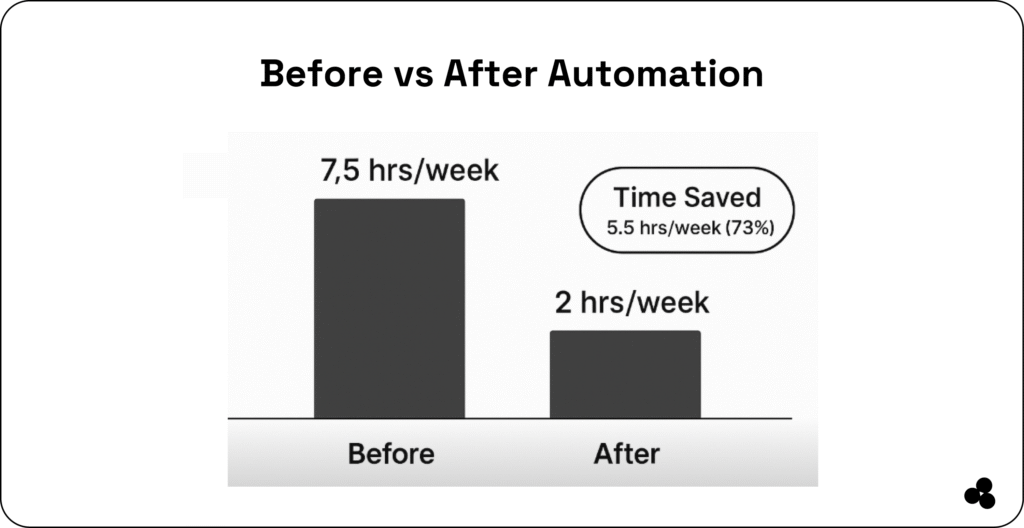
CountingWorksPro reports that tax teams save 20+ hours/week when automating workflows using AI assistants. That’s almost an extra day per week back without adding headcount.
💬 What tax automation tools reduce filing errors? AI-driven document extraction, automated approval workflows, and integrated accounting platforms reduce manual entry errors.
How to Streamline Filing, Reporting & Team Approvals
As a finance manager, you can optimize with a platform-based approach using the best tax software as follows:
- Use TurboTax Business for entity-specific reviews and QuickBooks integration
- Choose TaxAct for audit-ready workflows with minimal cost
- Use H&R Block when desktop filing or batch multi-entity filing is needed.
To reduce friction:
- Automate document ingestion—from PDFs, Excel, and scanned W‑2s—using AI tools like CountingWorks’ MAX.
- Use real-time approval flows embedded in tools—avoid tracking via email or chat threads.
- Collate digital expense and deduction data using expense trackers tied to filing tools (some small teams opt for FreshBooks or Xero when integration helps).
Use Case: Weekly Tax Team Workflows—Before & After
Before:
- Mondays begin with a manual download of all forms
- Documents stored locally and emailed to teammates
- Manual entry into TurboTax or TaxAct
- Approval via email threads or paper printouts
Tax season can feel endless as you need to fill in forms, spreadsheets, face document chaos, and get approvals.
But it doesn’t have to be. In 2025, AI and automation can reduce repetitive tax tasks by up to 40%, saving teams more than three hours per day during peak season. That’s not efficiency, it’s transformation.
After (with automation + Microapp):
- Scanned forms auto-processed via AI assistant
- Extracted data flows into tax software and dashboards
- Approval steps handled via microapp built for your team—no coding
- One-click review, flag, or reject without switching tools
Teams report cutting prep and review cycle in half, no retraining required.
💬 How do AI and automation tools help tax teams? They reduce repetitive tasks, cut review cycles in half, and save teams up to 40% of prep time.
👉 Discover the top financial tools for freelancers and businesses to utilize in 2025.
Cut SaaS Bloat: Consolidate Workflows
All-in-one platforms are helpful, but if your team uses multiple tools, including the best tax software, spreadsheet tools, file storage apps, and email threads, you’re paying for inefficiency and risk.
Microapp is the app store for web apps that empowers finance teams to consolidate workflows into a single lightweight platform.
Use it to build:
- Expense tracking microapps with audit-ready receipts
- Tax document organizer that collects and tags W‑2s, K‑1s, and receipts
- Approval workflow builder so leads can sign off forms with status tracking
- Tax reporting microapp that preloads data and flags missing fields
No developers. No overhead. Custom tools your team will use.
👉 Worthy Read: What is Time Value of Money and What is an Invoice?
Deeper Dive: AI & Automation Benefits by the Numbers
- Up to 40% time savings on repetitive tax tasks.
- Tax teams save 20+ hours/week—including data entry, sorting, and approvals.
- A single firm reported saving 288 hours during tax season after deploying automated workflows on Glasscubes.
That’s strategic time regained, letting teams focus on accuracy, advisory work, or team growth.
Summary Table
| Tool | Best For | Strengths | Limitations |
| TurboTax Business | QuickBooks users, guided filing | Expert support, entity integration | Higher cost, subscription-based |
| TaxAct | Budget-focused tax teams | Affordable, accuracy guarantee, solid features | Less intuitive UI, requires paid state filing |
| H&R Block Desktop | Multi-entity or offline filers | Desktop-based, bundled filings, support | Windows-only, less flexible for workflow automation |
👉 Worthy Read: How to Calculate Profit Margin and What is a Good Profit Margin?
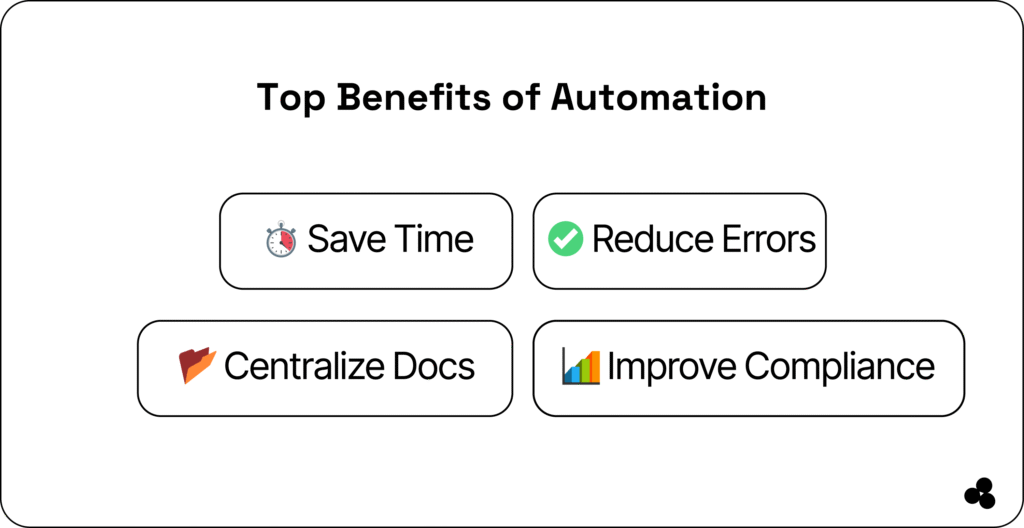
Save Time, Reduce Errors, and Take Control
Top-performing tax teams in 2025 rely on innovative software, not just feature-rich tools, but tools built for speed, accuracy, and ease of use. They combine:
- Robust platforms like TurboTax Business, TaxAct, and H&R Block
- AI-powered automation for document extraction and data syncing
- Custom microapps for unique workflows, team approvals, and audit readiness
Using Microapp as your automation layer removes the need for multiple subscriptions and messy spreadsheets. Create the best tax software tailored to your process, and leave outdated SaaS behind.
👉 Also, check out why a budget planner app works better as a microapp.
🚀Free your tax team from spreadsheet chaos. Build powerful, purpose-built tools in minutes with Microapp—no code, no clutter. Try it free today.