
Ditch the paperwork. Deliver the work.
Construction is all about speed, coordination, and precision. However, outdated systems can slow down job sites if you’re still using clipboards or spreadsheets, or if you’re coordinating crews via text messages. You know the pain.
You need the best construction site management software that is easy to use, fast to launch, and built for your job site workflows.
Our guide covers the top construction site management systems to streamline your lists and safety reports, and shows you how to build your custom job site app without writing a line of code.
Top Construction Site Management Systems at a Glance
| Software | Best For | Key Features (Jobsite-Focused) | Advantages | Pricing | Free Trial? |
|---|---|---|---|---|---|
| Procore | Large contractors, end-to-end management | Daily logs, RFIs, submittals, drawings, and field reporting | Very comprehensive, strongest ecosystem | $$$ (Premium tiered) | Yes |
| Buildertrend | Residential builders + remodelers | Schedules, communication, budget tracking, client portal | Great for home builders, easy to use | $$ | Yes |
| PlanGrid / Autodesk Build | On-site plan management | Real-time drawings, markups, and punch lists | Excellent for field crews | $$$ | Yes |
| Fieldwire | Field teams needing fast coordination | Tasks, plans, punch lists, checklists | Simple UI, good for subs | $–$$ | Yes |
| Raken | Daily reporting + compliance | Time cards, daily logs, production tracking | Fast reporting, strong mobile app | $$ | Yes |
| CoConstruct | Custom home builders and design-build teams | Estimating, client selections, construction scheduling, job costing | Tailored for residential workflows, with excellent client-facing features | $$ | Yes |
6 Best Construction Site Management Software in 2025
Below are the top platforms used by supervisors, builders, contractors, and project managers to replace paperwork, streamline communication, and manage field operations from anywhere.
1. Procore
Best all-in-one construction management system for mid-to-large teams
Procore remains the industry leader for large job sites. It centralizes project data, drawings, RFIs, financials, and safety documentation into a single system. While powerful, it’s more than many small contractors need — but ideal for multi-site or multi-phase operations.
Best For: General contractors, commercial projects, multi-disciplinary teams
Why It’s Great: Robust reporting, field-ready mobile tools, enterprise-level data control
Top Features
- RFI & submittal workflows
- Daily logs and punch lists
- Document & drawing management (mobile/offline)
- Change order & financial tracking
- Subcontractor coordination tools
2. Buildertrend
Best construction site management software for small–mid-sized residential builders
Buildertrend shines for remodelers, home builders, and specialty trades. Its clean interface makes it easy for crews and clients to stay aligned without overwhelming them.
Best For: Residential construction and remodeling
Why It’s Great: Easy scheduling, client communication, and daily logs
Top Features
- Client selections & communication hub
- Job costing and change orders
- Daily site logs
- Subcontractor scheduling
- Budget and timeline tracking
3. Fieldwire
Best jobsite-first software for task coordination
Designed specifically for field teams, Fieldwire puts tasks, checklists, punch lists, and drawings front and center. It’s one of the fastest tools for daily site operations.
Best For: Field crews & specialty contractors
Why It’s Great: Simple task workflows built for mobile teams
Top Features
- Task assignment with checklists
- Blueprint markups, photos, and annotations
- Offline access
- Custom forms for inspections and reports
4. CoConstruct
Best for custom home building and design-build workflows
CoConstruct offers strong financial tools, selection tracking, and client communication tailored to custom home construction.
Best For: Custom builders & remodelers
Why It’s Great: Deep budgeting tools and homeowner-friendly communication
Top Features
- Estimating & budget tracking
- Client selections & approvals
- Construction scheduling
- Job costing tools
5. Autodesk Build (PlanGrid)
Best construction field management software for large, complex teams
Autodesk Build is the powerhouse for firms already invested in the Autodesk ecosystem. From quality to safety to document control, it handles complex workflows with precision.
Best For: Large commercial & civil construction teams
Why It’s Great: Advanced document controls and BIM workflows
Top Features
- Issue tracking and RFIs
- 3D model viewer
- Quality & safety checklists
- Connected construction insights
6. Raken
Best lightweight construction site reporting software
Raken focuses on fast, accurate field reporting — ideal for subcontractors and field managers who need simple, fast documentation.
Best For: Subcontractors & field supervisors
Why It’s Great: Lightning-fast daily logs and time tracking
Top Features
- Voice-to-text reporting
- Time tracking by crew
- Safety & quality checklists
- Photo and video documentation
Why Construction Sites Still Rely on Clipboards — and Why It Hurts Productivity
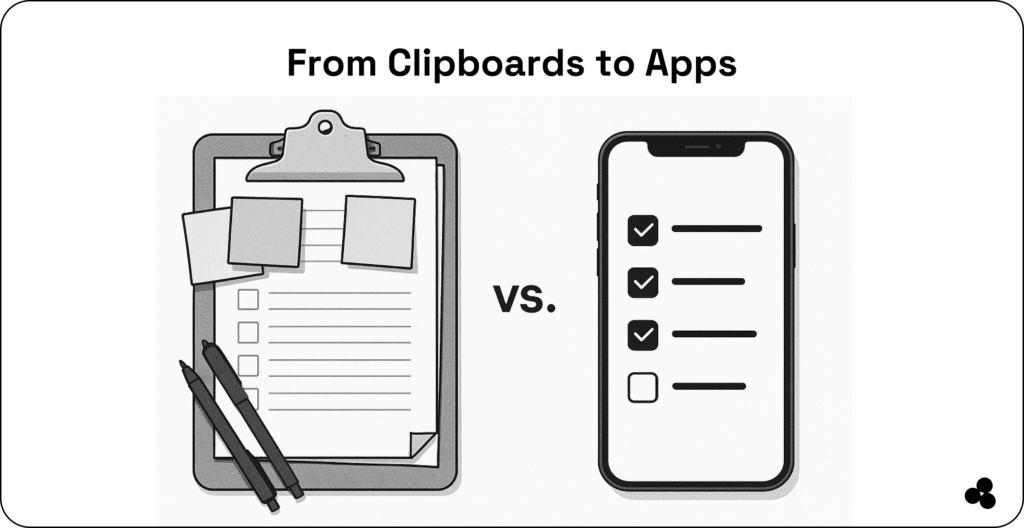
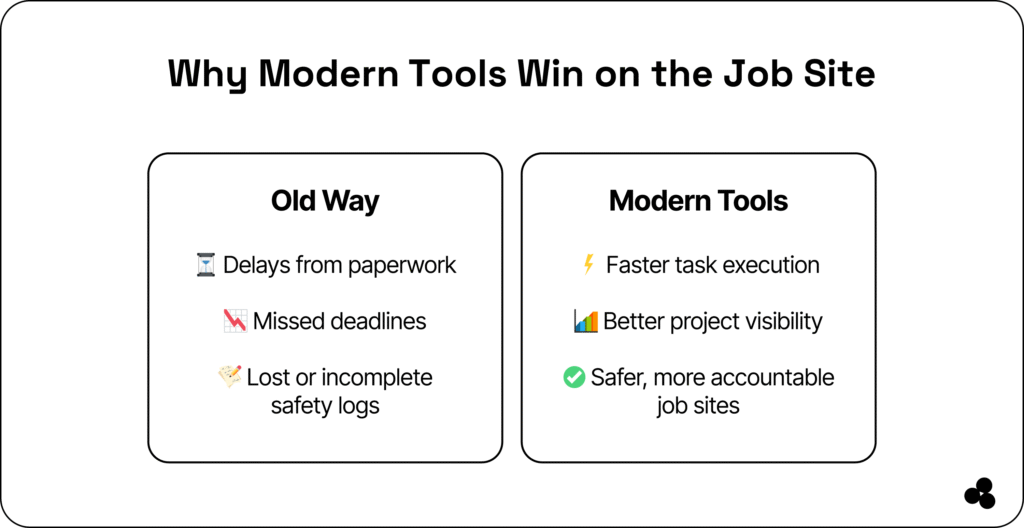
Despite all the tools available, the clipboard remains a job-site staple. But it’s not because it’s the best option, it’s just familiar.
📊 According to McKinsey, construction supervisors spend up to 35% of their time on paperwork, often delaying tasks that keep projects on schedule. That’s over 14 hours a week tied up in logging, form-filling, and chasing paper trails.
The result?
- Missed deadlines
- Lost or incomplete reports
- Slow safety documentation
- Delayed approvals
- Poor communication across crews
Paper, spreadsheets, and text messages can’t keep up with how modern construction moves.
But here’s the good news: You can replace 90% of this paperwork with field-ready construction site software — or even build your own custom app.
👉 While here, check out the best construction management software to make life simpler.
What Job Site Operators Need in 2025
Job sites aren’t offices. Conditions are loud, fast, and ever-changing. That’s why, as a site manager or contractor, you need tools that check these boxes:
- Mobile-first and offline-capable – So crews can update anywhere, even with no signal
- Simple interfaces – Tools should work without training manuals
- Real-time task updates – Everyone knows what’s done and what’s next.
- Instant safety logging and documentation – Capture incidents or checklists on the go
- Zero IT support required – No back-and-forth with tech teams
👉 Add these seven construction cost estimator apps to your list.
Want a Jobsite App Built Exactly for Your Workflow? Use Microapp.
Sometimes commercial software doesn’t match your field realities.
That’s where Microapp comes in.
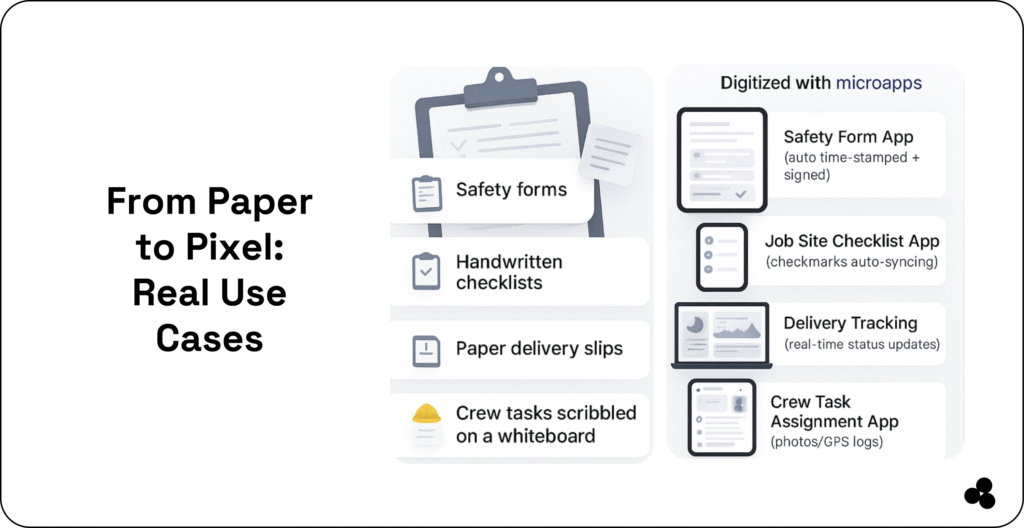
Microapp is a no-code platform where contractors build field-ready jobsite tools without hiring developers. Whether you need a safety form, a materials tracker, a task checklist, or a jobsite dashboard, you can develop and deploy it in minutes.
With Microapp, you can:
- Build custom safety form apps
- Create job site checklists
- Launch materials tracking logs
- Build crew task management tools
- Upload and share usable apps instantly
All from your browser — no coding required.
👉 Check out these safety inspection tools to simplify your life.
Field-Proven Jobsite Tools Built With Microapp
Here’s what contractors are already building:
✔ No-code safety form apps: Document toolbox talks or incident reports instantly.
✔ Jobsite checklists: Pre-start checks, punch lists, daily workflows.
✔ Materials tracking & delivery logs: Know what’s onsite, what’s delayed, and where materials go.
✔ Crew task apps: Assign tasks, add photos, request approvals, and track completion.
If your clipboard had Wi-Fi, this is what it would look like.
Turn Your Construction Tools Into Income (Sell Your Microapps)
If you solve a jobsite workflow problem with a custom Microapp, you can sell it to other contractors. Think: safety checklists, jobsite forms, civil inspection tools, residential inspection templates, and more.
Popular monetizable ideas:
- Local safety compliance checklists
- Time tracking tools for subcontractors
- Jobsite inspection forms
- Delivery and inventory management apps
👉 Learn how with the Microapp tutorial
Ditch the Clipboard. Manage Your Job Sites Smarter.
The best construction site management software doesn’t require a steep learning curve or a bulky laptop setup. In 2025, the winning tools are:
- Fast
- Field-tested
- Mobile
- Easy for crews
- Integrated with your workflow
Start with one of the six platforms above to streamline your job sites. And if none of them match your exact workflow, build your own custom field app with Microapp.
FAQs
What software do construction companies use?
Most companies use job site reporting apps, project management tools, scheduling apps, and safety/logging platforms such as Procore, Autodesk Build, and Fieldwire.
What is the difference between construction management software and site management software?
Construction management software handles budgeting, RFIs, financials, and timelines. Construction site management software focuses on field operations: daily logs, safety, task tracking, and checklists.
What software is used in civil construction?
Civil contractors often use Autodesk Build, Procore, and specialized inspection/reporting apps.
What is the most popular construction management software?
Procore currently leads the market among medium and large contractors.