


Managing legal cases is crucial, yet many law firms waste hours on bloated software and cumbersome workflows.
Case management software helps legal teams organize cases, streamline processes, and reduce administrative overhead, but only if the tools are simple, focused, and easy to adopt.
In 2026, the best case management software emphasizes clarity, lightweight design, and automation, helping small and mid-sized firms stay productive without bloated features or steep learning curves.
Whether you want to track cases visually, automate client intake, or centralize documents, these apps give you control over your legal workflows.
Top 5 Case Management Software for 2026
Here’s a closer look at five of the best tools with practical examples and tips:
1. Clio Manage
Clio offers a selection of features, including contact management, billing, calendaring, document management, time tracking, accounting, online payments, and task management.
Why it works:
- Document sharing with a secure client portal
- A timeless display of who made changes and when
- Has a separate module for client relationship management and intake
🔗 Explore: Clio Manage
2. Smart Advocate
The case management software is fully integrated for legal practices. The software was designed for mass tort and personal injury litigation but is now used by various litigation firms.
Why it works:
- Unique tool that helps you track insurance information
- Has a calculator allowing you to enter settlement amounts to provide your firm’s fee, referral fees, and costs for clients
- Has a medical tracker with automated workflows
🔗 Explore: Smart Advocate
3. 8am MyCase
The software is a comprehensive legal practice management platform that simplifies document management, invoicing, time tracking, calendaring, payments, and billing.
Why it works:
- All-in-one interface
- Streamlined with loads of important features included
- Built-in billing and time-tracking automation
- Secure document sharing with unlimited eSignatures
- You get a ten-day free trial to explore the features
🔗 Explore: 8am MyCase
4. Litify
Litify is suitable for mid-size to large law firms. The software is built on the widely used Salesforce platform, which many businesses use for automation and analytics.
Why it works:
- Offers you automated tasks with excellent security
- You can customize the dashboard to track your important performance indicators
🔗 Explore: Liftify
5. Legal Tracker
The case management software offers you matter management, analytics, eBilling, reporting, data services, legal operations, and cloud integrations.
Why it works:
- You can track your budgets and compare performances outside the legal counsel
- It has an excellent reporting system with collaboration tools
🔗 Explore: Legal Tracker
What Is Case Management Software and Why Does It Matter?
Case management software is designed to help legal professionals manage their workflow efficiently — from client intake to billing and document storage. The right software can:
- Centralize case files
- Automate repetitive tasks
- Track deadlines and progress
- Collect feedback and notes from the team
💬 What is case management software used for? It’s used to manage legal cases, streamline tasks, and ensure no deadlines or client details are missed.
👉 Worthy Reads:
Why Traditional Case Management Systems Fail
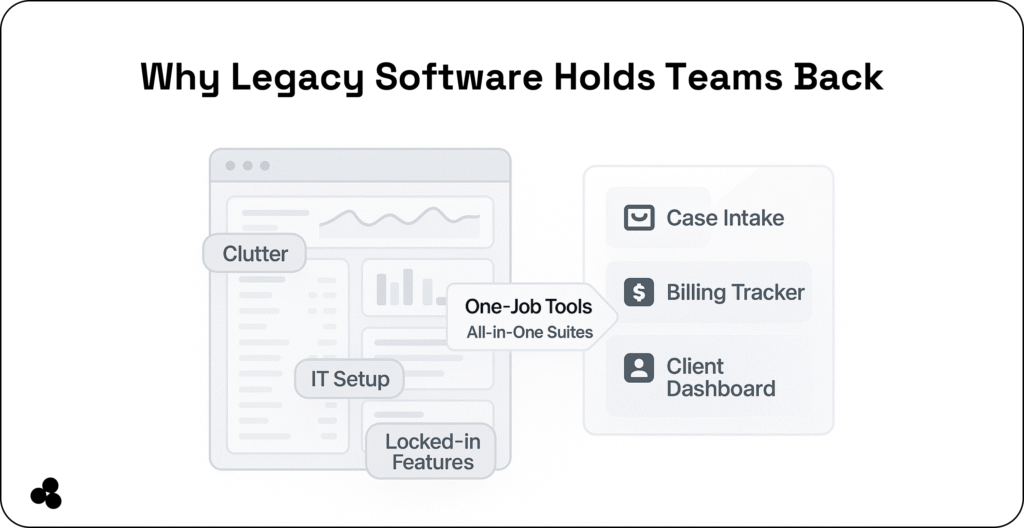
Traditional platforms are often designed for enterprise legal teams rather than small firms. They feature complex dashboards, locked-in ecosystems, and expensive licenses — often with unused features.
| Feature | Legacy Systems | Microapps |
|---|---|---|
| Cost | $$$ per user/month | $ or free per microapp |
| Customization | Developer required | Drag-and-drop/simple logic |
| Onboarding Time | Weeks | Minutes |
| Feature Scope | All-in-one (bloated) | Task-specific (streamlined) |
| Vendor Lock-in | High | Low |
Advantages of Single-Purpose and Microapp-Based Tools
Single-purpose tools focus on one task and do it well, helping firms adopt them quickly and effectively. Benefits include:
- Faster adoption with minimal training
- Cost-effectiveness for small teams
- More frequent and actionable insights
💬 How can software reduce bias and inefficiency in case management? By simplifying workflows, standardizing processes, and reducing unnecessary manual steps, teams can focus on what truly matters: billable work and client service.
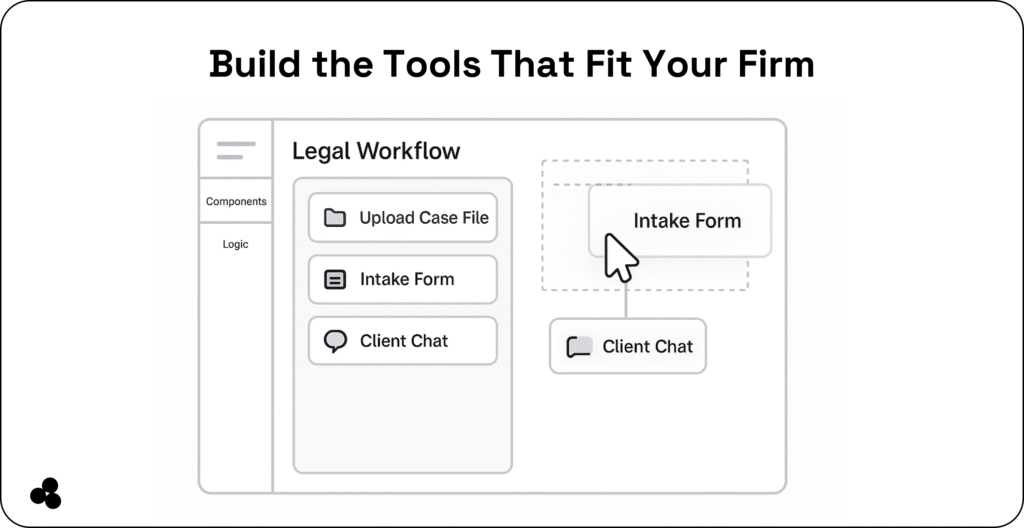
Build Your Own Custom Case Management Tool
With Microapp, you can:
- Drag and drop components
- Track case statuses and goals
- Launch internal tools without coding
📄 Tip: Monetize your custom microapp by listing it on the Microapp App Store for other teams to use. Read our article on how to price your app.
💬 Can I create a case management tool without coding? Yes — Microapp lets anyone build a tailored tool in minutes, saving time and money.
Best Practices for Legal Case Management
- Standardize intake forms to reduce errors
- Use automation to streamline repetitive tasks
- Integrate tools like Lifitfy, Smart Advocate, and Clio for smooth workflows
- Gather peer feedback and client input for transparency
💬 How can I make my legal workflows more efficient? Automate, centralize, and standardize processes using lightweight tools tailored to your team.
Simpler Tools, Better Results
Choosing the right case management software doesn’t mean adopting complex, bloated systems. Single-purpose microapps help teams:
- Save time on repetitive tasks
- Focus on billable work
- Reduce software costs
- Increase adoption and team satisfaction
📌 Explore Microapp to discover or build the tools your team truly needs. Take control of case workflows, simplify processes, and see productivity soar.