
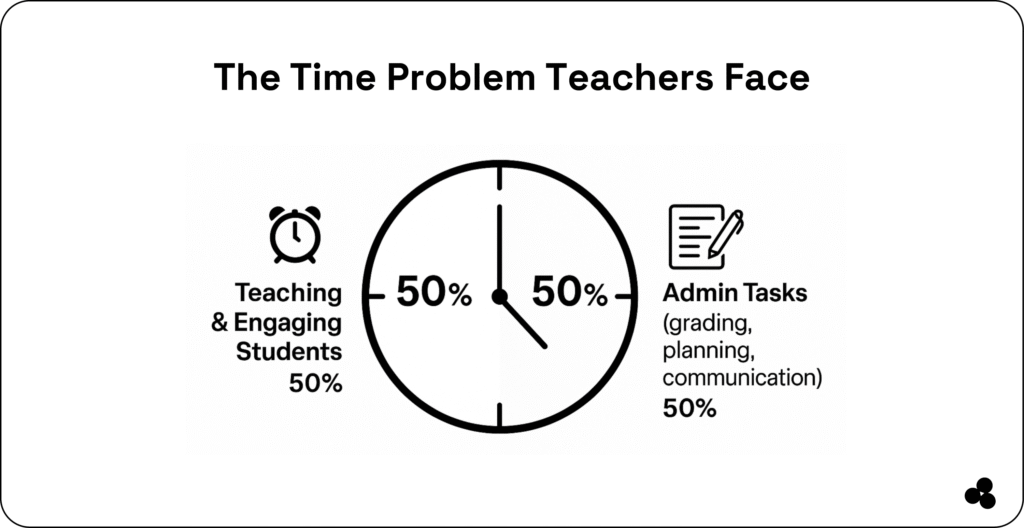
As a teacher, you spend an average of 11 hours per week on administrative tasks like grading, lesson planning, and communication outside of classroom hours.
That’s valuable time you could spend engaging students and improving outcomes.
Fortunately, the right teacher productivity tools can streamline these repetitive tasks, automate workflows, and help you focus on what matters most: teaching.
From grading automation to lesson planning and communication apps, these tools are transforming classrooms in 2025.
For educators, developers, and creators in EdTech, there’s also an opportunity to build custom, no-code solutions that solve real classroom challenges fast.
Platforms like Microapp empower you to create tailored productivity tools without coding, letting you save time, reduce errors, and deliver a branded experience for your students.
Top 7 Teacher Productivity Tools in 2025
These seven teacher productivity tools help educators save time, reduce administrative burden, and run classrooms more efficiently.
Each tool targets specific pain points, including grading, communication, lesson planning, and workflow automation.
| Tool | Key Features | Best For | Pricing | Notes / Real-World Impact |
|---|---|---|---|---|
| GradeEasy | Automated grading, smart rubrics, and feedback templates | Teachers with heavy grading loads | Freemium + Paid tiers | Saved Mr. Smith 3 hours/week on grading quizzes |
| Planbook | Lesson planning, standards mapping, resource library | Teachers seeking organized lesson prep | Subscription | Used by the XYZ school district to streamline curriculum |
| ClassConnect | Scheduled parent messaging, bulk notifications, read receipts | Large classrooms & parent engagement | Free Plan | Increased parent engagement by 20% in pilot classrooms |
| Attendy | Contactless attendance, multi-device support, data export | Schools, clubs, and small teams | Free trial + subscription | Reduced manual attendance errors by 40% |
| Kahoot! | Game-based quizzes, real-time competition | Interactive learning & formative assessments | Free + Paid Premium | Engaged 100+ students in review sessions |
| Quizlet | Personalized study modes, flashcards, adaptive learning | Differentiated instruction & student review | Free + Paid Premium | Improved retention scores through gamified review |
| Microapp | No-code drag-and-drop builder, smart workflows, custom branding | Custom teacher tools & automation | Free tier + Paid plans | Automated homework collection & parent messaging in minutes |
Key Takeaways
- Microapp enables educators and creators to build custom apps tailored to classroom needs, combining multiple productivity tool categories into a single no-code solution.
- Selecting the right tool depends on class size, task type, and workflow complexity.
- Tools that automate repetitive tasks save hours weekly, reduce errors, and allow teachers to focus on student engagement and learning outcomes.
Tip 👌: Prioritize tools that integrate with existing school systems or LMS platforms to avoid fragmented workflows and maximize efficiency.
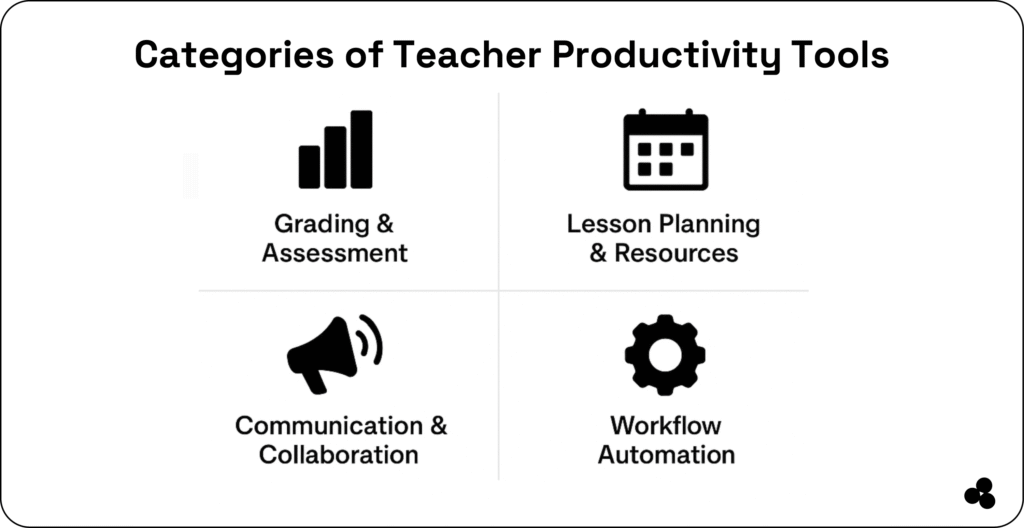
Categories of Teacher Productivity Tools
Teacher productivity tools can be grouped into key categories based on the challenges you address. Understanding these categories helps you, as an educator and creator, choose solutions that save time, reduce errors, and improve student outcomes.
1. Grading & Assessment
Automated grading tools streamline scoring for quizzes, tests, and assignments. Features often include smart rubrics, instant feedback, and exportable reports, freeing teachers from repetitive tasks.
👌 Best for: Teachers managing large classes or heavy grading workloads.
Example tools: GradeEasy, Kahoot!, Quizlet
2. Lesson Planning & Resource Management
These tools simplify curriculum planning, organize lesson materials, and track alignment with standards. Some platforms allow sharing plans across classes or collaborating with colleagues, saving hours of prep time.
👌 Best for: Educators looking to streamline lesson creation and resource organization.
Example tools: Planbook, Microapp
3. Communication & Collaboration
Parent-student communication can consume significant time. Productivity tools automate messaging, notifications, and reminders to keep everyone informed.
👌 Best for: Teachers who manage large classrooms or want to enhance parent engagement.
Example tools: ClassConnect, Microapp
4. Workflow Automation
Attendance tracking, homework collection, and reminders are repetitive tasks that can be automated. Workflow tools ensure consistency, accuracy, and timely execution.
👌 Best for: Schools or teachers seeking efficiency in daily classroom operations.
Example tools: Attendy, Microapp
5. Custom No-Code Solutions
No-code platforms empower educators to build their own classroom apps tailored to specific challenges. From automated assignment collection to parent messaging systems, these tools give complete control without coding.
👌 Best for: Teachers, developers, and EdTech creators wanting customized, branded tools.
Example tools: Microapp
Tip 👌: When choosing tools, consider integration capabilities, ease of use, and scalability. Tools that combine multiple categories can further streamline workflows and maximize productivity.
Why Teacher Productivity Tools Are Essential in 2025
Teaching is more demanding than ever. According to recent research, educators spend up to 50% of their workweek on non-teaching tasks such as grading, lesson prep, and administrative work.
This heavy workload contributes to burnout, reduces time spent with students, and makes it harder to deliver high-quality learning experiences.
Teacher productivity tools address these challenges by:
- Automating repetitive tasks: Tools like grading software or attendance trackers save hours each week.
- Centralizing information: Lesson plans, assignments, and parent communications can be managed in one place.
- Enhancing collaboration: Streamlined messaging and shared resources improve communication with parents, colleagues, and students.
- Increasing student engagement: Freeing up time allows teachers to focus on interactive lessons and personalized support.
For EdTech developers and creators, the rising demand for productivity tools in education represents a huge opportunity.
No-code platforms like Microapp enable teachers to build custom, branded classroom solutions in minutes, tailored to their specific workflows and pain points.
By integrating productivity tools into everyday classroom routines, teachers not only save time and reduce stress but also improve learning outcomes and create a more organized, efficient teaching environment.
👉 Check out these attendance tracker apps for teachers.
How to Build a Custom Classroom Microapp in Minutes
Creating a no-code classroom tool allows you to automate repetitive tasks, streamline workflows, and personalize student experiences, all without coding.
| Step | Action | Why It Matters | Tip 👌 |
|---|---|---|---|
| 1. Identify Key Pain Point | Select the task that wastes the most time (grading, attendance, messaging) | Focuses effort on the biggest efficiency gain | Ask students or staff which task slows them down the most |
| 2. Map the Workflow | Outline steps from start to finish, including submissions, approvals, and notifications | Ensures smooth automation | Include conditional logic for different scenarios |
| 3. Design the Interface | Use Microapp’s drag-and-drop builder to create forms, dashboards, and alerts | Creates an intuitive, branded experience | Keep the layout simple for mobile and desktop |
| 4. Configure Smart Logic | Automate notifications, reminders, and workflow rules | Reduces manual intervention and errors | Test logic with a small sample group first |
| 5. Integrate Systems | Connect to calendars, email/SMS, LMS, or messaging apps | Ensures seamless workflows | Start with core systems before adding extras |
| 6. Test & Deploy | Preview on mobile & desktop, iterate, and share via link or embed | Catch UX issues early and ensure smooth deployment | Pilot with one class before full rollout |
| 7. Iterate & Improve | Collect feedback, refine automations, and add features | Keeps the tool relevant and effective | Monitor usage and adjust based on real classroom needs |
Why This Works:
- Teachers save hours each week by automating repetitive tasks.
- Custom no-code apps allow complete control and branded experiences.
- Microapp enables fast deployment and scalability without developer involvement.
No coding, no hassle, total ownership. Learn more about what a microapp is here.
👉 Discover how to build a quiz generator tool here.
Real-World Use Cases & Impact of Teacher Productivity Tools
Teacher productivity tools are not just theoretical; they deliver measurable results in classrooms of all sizes. Here are the key ways these tools make an impact in 2025:
1. Automated Grading & Feedback
Scenario: A high school teacher handles 150+ assignments weekly.
Impact: Tools like GradeEasy or Kahoot! automate scoring and provide consistent feedback, saving up to 3–4 hours per week, reducing grading errors, and ensuring timely student responses.
2. Streamlined Lesson Planning
Scenario: A middle school teacher plans multiple subjects across different grades.
Impact: Tools like Planbook allow educators to centralize lesson plans, align them with standards, and share resources with colleagues. Result: 20–30% faster lesson prep, less duplication, and easier collaboration.
3. Efficient Parent & Student Communication
Scenario: Large classrooms or schools need to keep parents updated on assignments, events, and performance.
Impact: Platforms like ClassConnect automate messaging, read receipts, and bulk notifications, increasing parent engagement by 15–25% while cutting communication time in half.
4. Attendance & Workflow Automation
Scenario: Schools managing hundreds of students struggle with paper-based attendance and reminders.
Impact: Tools like Attendy or Microapp digitize check-ins, automate reminders, and track attendance in real-time, reducing errors by 40% and freeing staff to focus on teaching.
5. Custom No-Code Classroom Solutions
Scenario: A teacher wants a branded homework collection and reporting system.
Impact: Using Microapp, educators build custom tools tailored to their unique workflows in minutes—no developers needed.
Outcomes include faster task completion, improved student compliance, and personalized classroom automation.
Key Takeaways:
- Even small efficiency gains compound into hours saved weekly.
- Custom solutions give teachers control over workflows, improving student engagement and operational efficiency.
- Tools that integrate multiple categories—such as grading, planning, communication, and workflow—maximize impact.
👌 Tip: Track metrics like time saved, parent engagement, and student compliance to quantify ROI and continually refine your productivity tools.
Take Control of Your Classroom Time Today
Teacher productivity tools are no longer optional; they’re essential for modern classrooms.
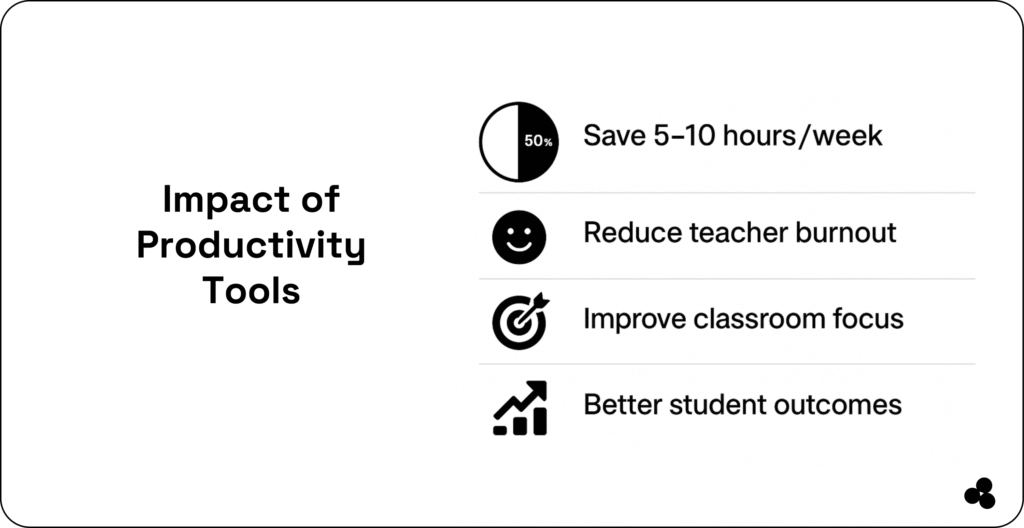
By automating repetitive tasks, centralizing lesson planning, and streamlining communication, these tools save hours each week, reduce errors, and let educators focus on what matters most: teaching and student engagement.
With no-code platforms like Microapp, you can:
- Build custom classroom apps tailored to your unique workflows.
- Automate grading, attendance, and parent communication.
- Deploy fully branded tools in minutes, without coding.
Whether you want to reclaim time, reduce stress, or enhance student outcomes, Microapp gives you the power to create fast, efficient, and scalable teacher productivity solutions.
Ready to save hours every week and transform your classroom with Microapp and Build Your Custom Teacher Tool with Microapp Today.